
Cookie Category Slugs
Cookie Category Slugs
Cookie Wow assigns a slug to each cookie category. This slug acts as a unique identifier that can be used in code implementations — for example, to configure Google Analytics to collect anonymous data before user consent.
How to Find the Slug for Each Cookie Category:
Select the domain you want to manage
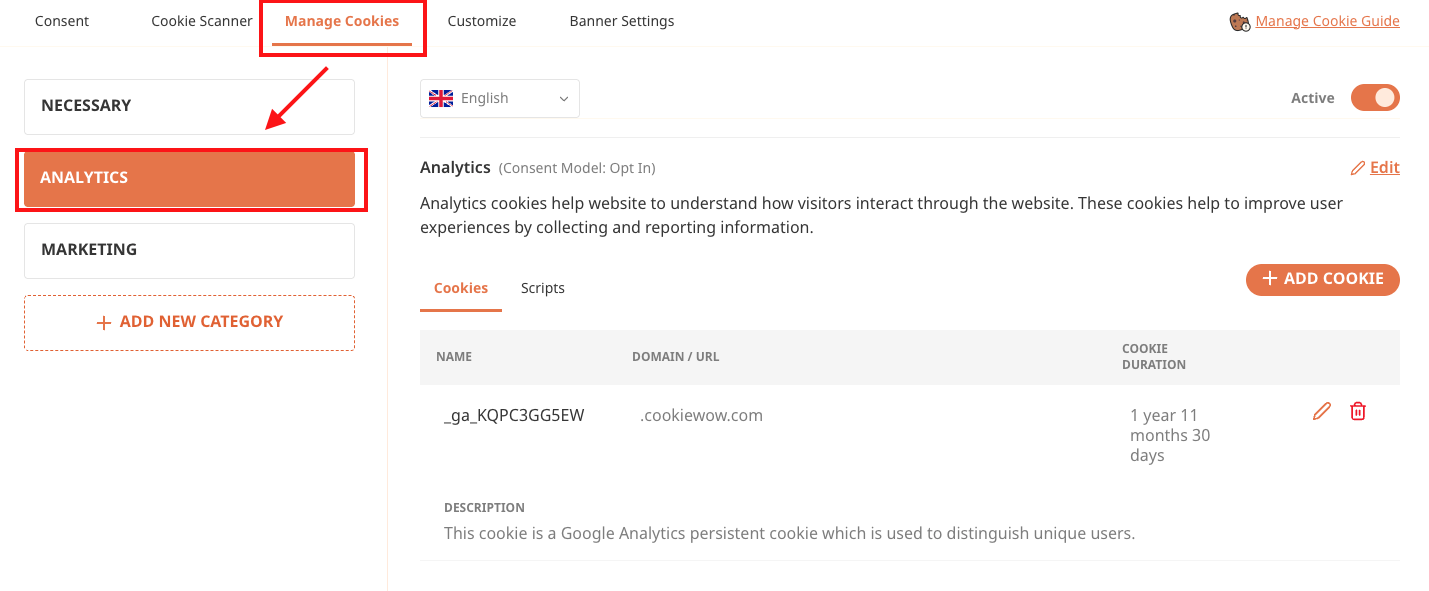
Go to the Cookie Management menu
From the list on the left, select the cookie category you're interested in
Click View Details next to the category name
Copy the slug shown — you're ready to use it in your scripts
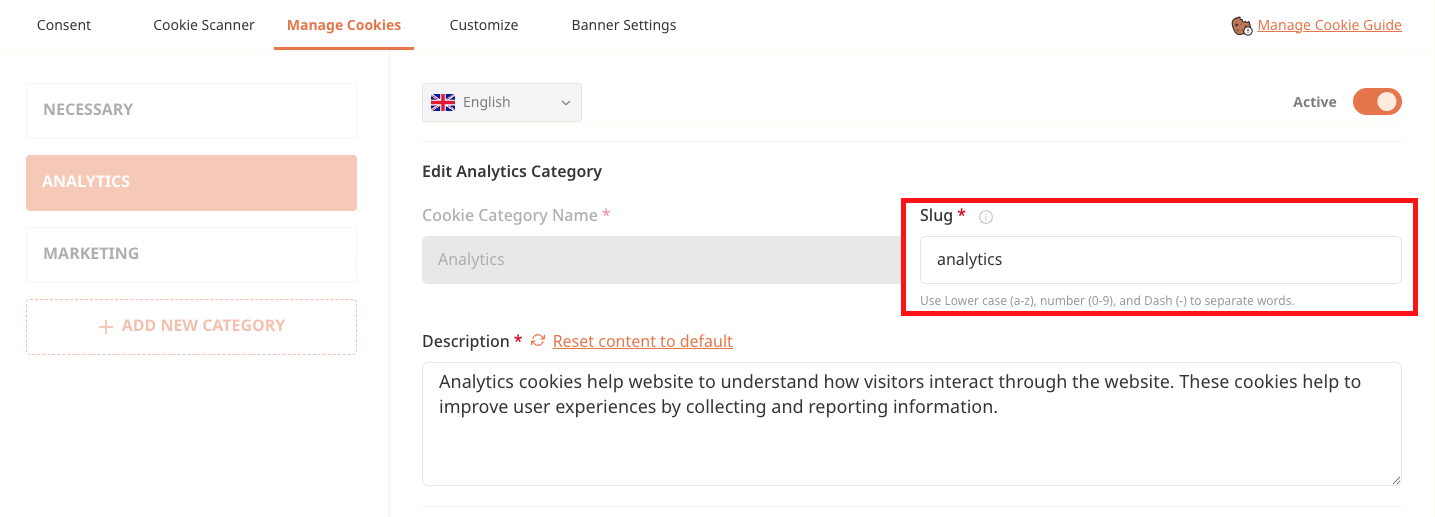
Tip: You can use the slug in logic like this:
window.cwcIsUserAccept('analytics')to check if consent has been granted for that specific category before triggering services like Google Analytics, advertising tags, or cookie
Related articles
See allHow to Allow Google Analytics to Collect Anonymous Statistics Before User Consent (Google Tag Manager Setup)
How to Allow Google Analytics to Collect Anonymous Statistics Before User Consent (Google Tag Manager Setup)If you're using Google Analyt...
Preserving Conversion Rate with Google Consent Mode
Google Consent ModeGoogle Consent Mode is an API developed by Google to help improve the accuracy of marketing analysis and planning by u...
How to Configure Google Analytics to Collect Anonymous User Statistics Before Consent (For Websites Using HTML Integration)
How to Configure Google Analytics to Collect Anonymous User Statistics Before Consent (For Websites Using HTML Integration)If your websit...
Need more help?
Get in touch and we'll help solve it