
How to Allow Google Analytics to Collect Anonymous Statistics Before User Consent (Google Tag Manager Setup)
How to Allow Google Analytics to Collect Anonymous Statistics Before User Consent (Google Tag Manager Setup)
If you're using Google Analytics via Google Tag Manager (GTM) and want to collect data anonymously before users give consent, here’s a step-by-step guide.
For websites using Google Analytics installed directly via HTML (not through GTM), refer to this guide: Read setup instructions here
Note:
If your website collects personally identifiable information (PII) for analysis or marketing purposes, you must first obtain user consent according to PDPA laws.
However, to ensure accurate visitor statistics — regardless of consent — you can anonymize data before consent is granted to reduce privacy risks.
Principle:
Before consent is given, configure Google Analytics to:
Once consent is granted via the Cookie Wow banner, allow normal data collection with cookies.
Step-by-Step Setup via Google Tag Manager
❶ Move the GTM & Analytics tags to the “Necessary” category:
Place the following in the “Necessary” group, not “Analytics”:
https://www.googletagmanager.com/gtm.js?id=<GTM-KEY>https://www.google-analytics.com/analytics.js
❷ Create a Variable to Check Consent Status
Open GTM, go to the Variables tab.
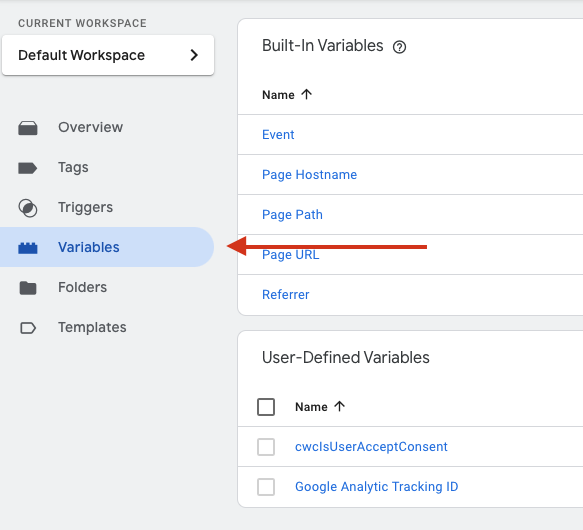
Create a new Custom JavaScript Variable.
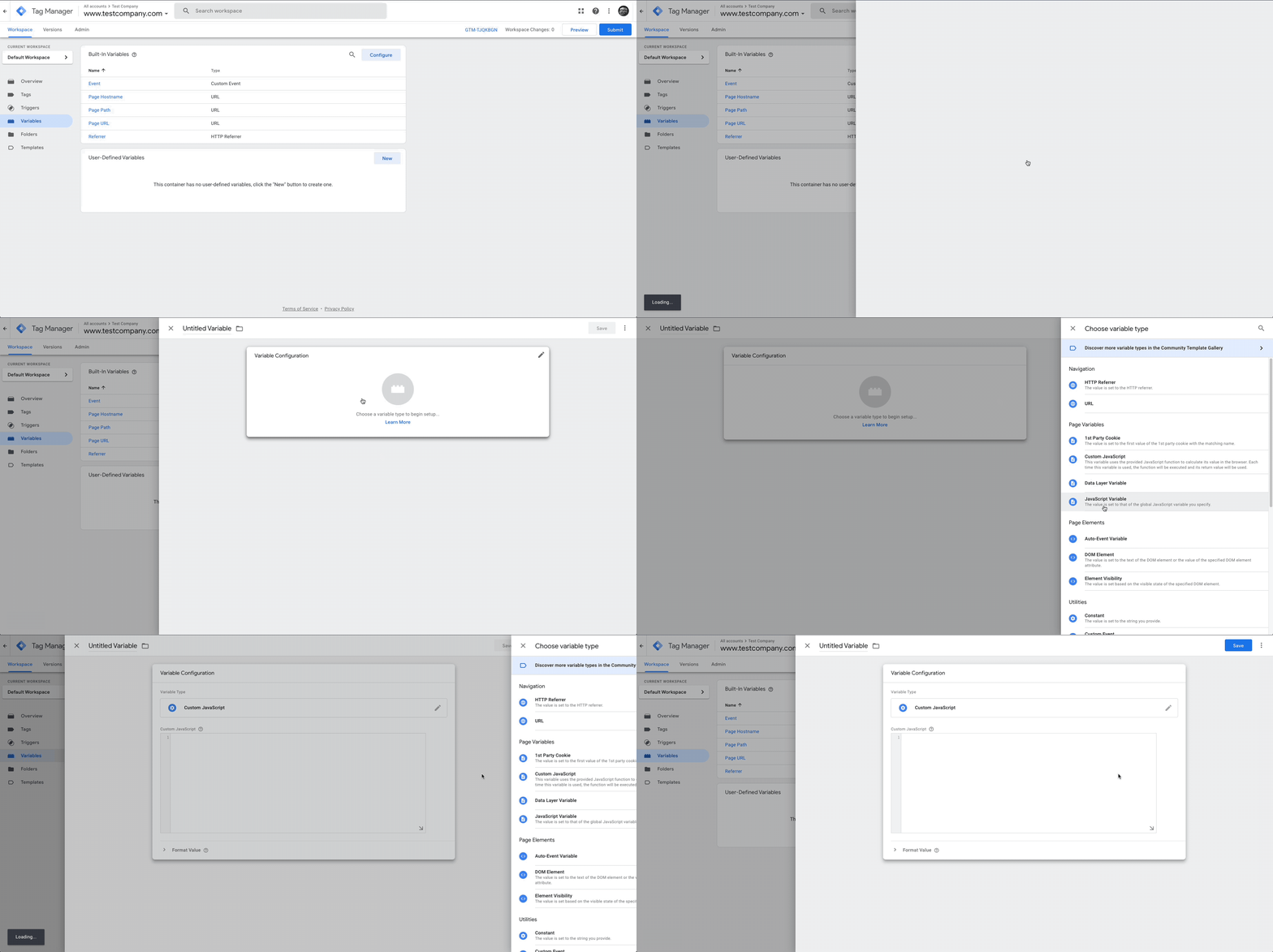
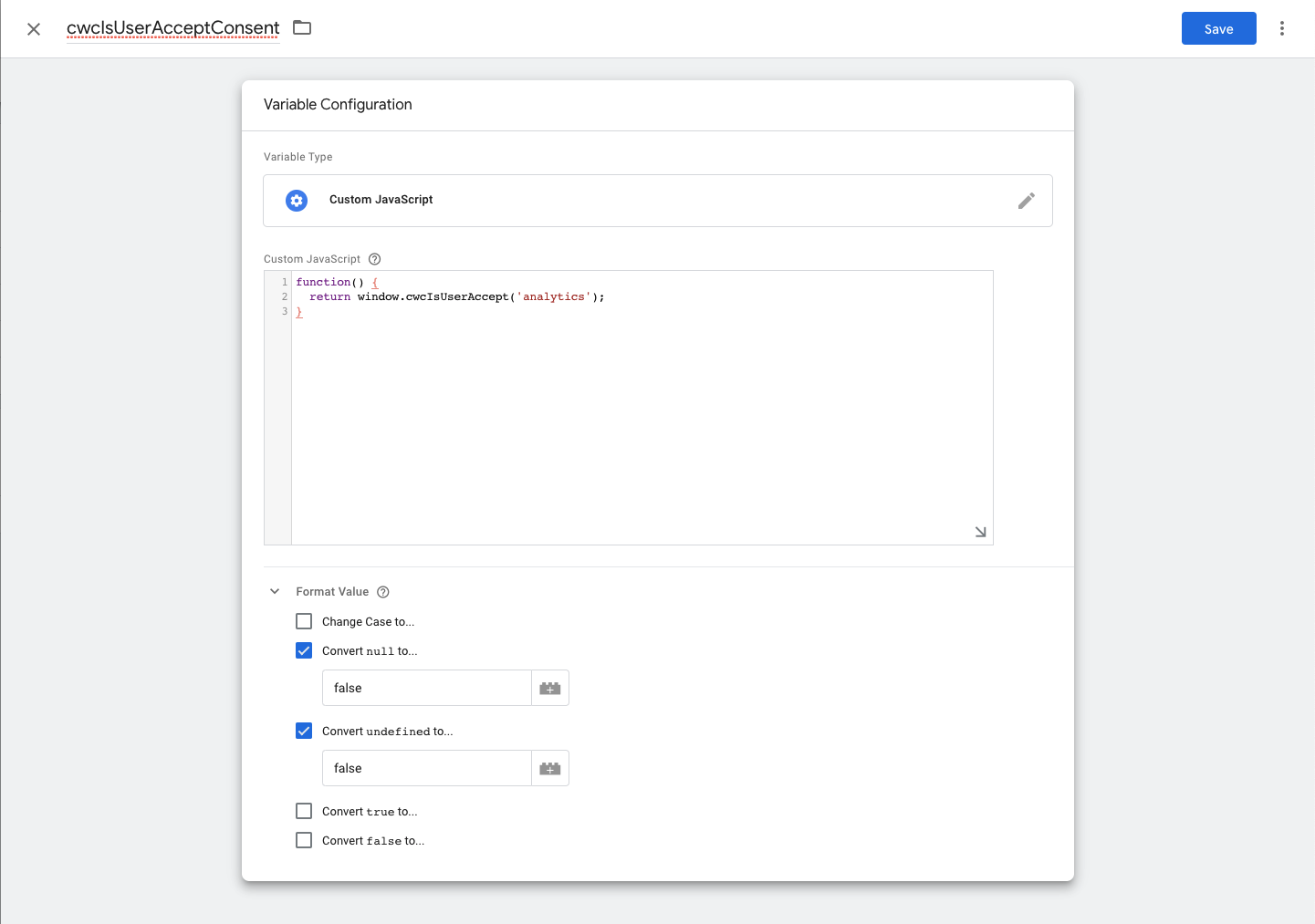
Use this snippet (replace
'category-slug'with the actual category slug you're using, usually 'Analytics'):
function() {
  return window.cwcIsUserAccept('category-slug');
}
You can find the correct slug used in your Cookie Wow settings here: How to find slugs
Set "Convert null to false" and "Convert undefined to false"
Name it something like
cwcIsUserAcceptConsent, then Save
❸ Create Two Triggers (With/Without Consent)
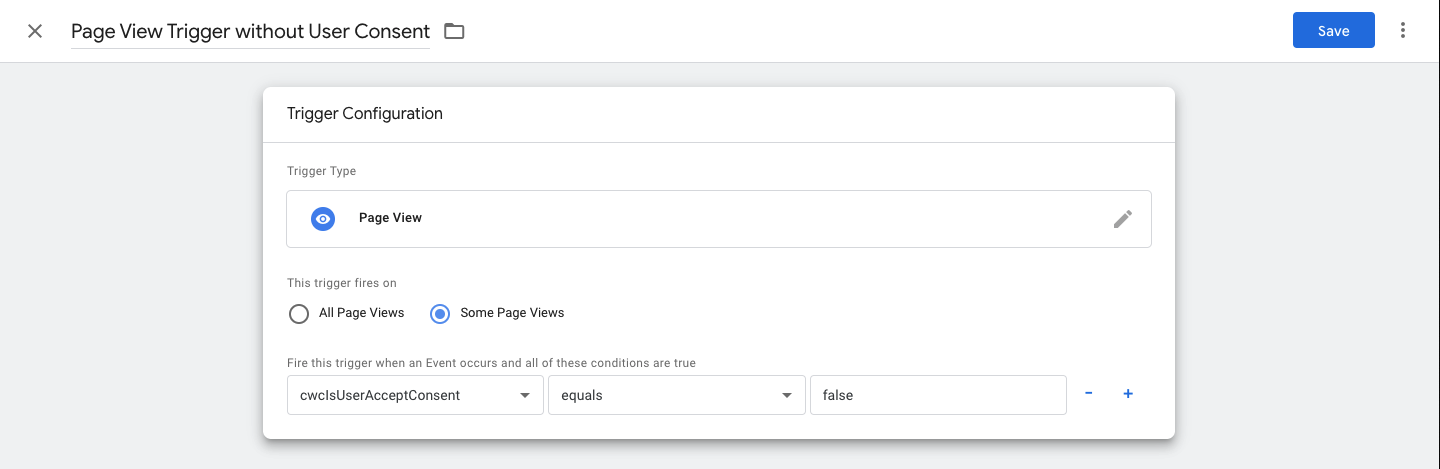
A. Trigger for Users Who Have Not Given Consent
Name:
Page View Trigger without User ConsentType: Page View → Some Page Views
Condition:
cwcIsUserAcceptConsentequalsfalse
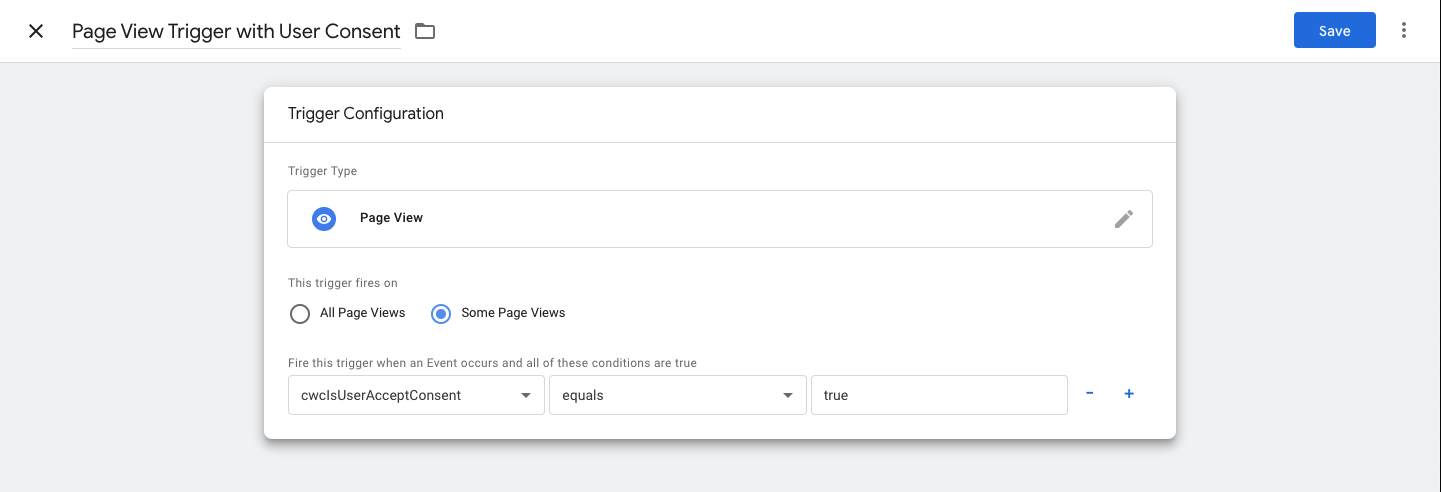
B. Trigger for Users Who Have Given Consent
Name:
Page View Trigger with User ConsentType: Page View → Some Page Views
Condition:
cwcIsUserAcceptConsentequalstrue
❹ Create Two GA Tags (One with, One without Consent)
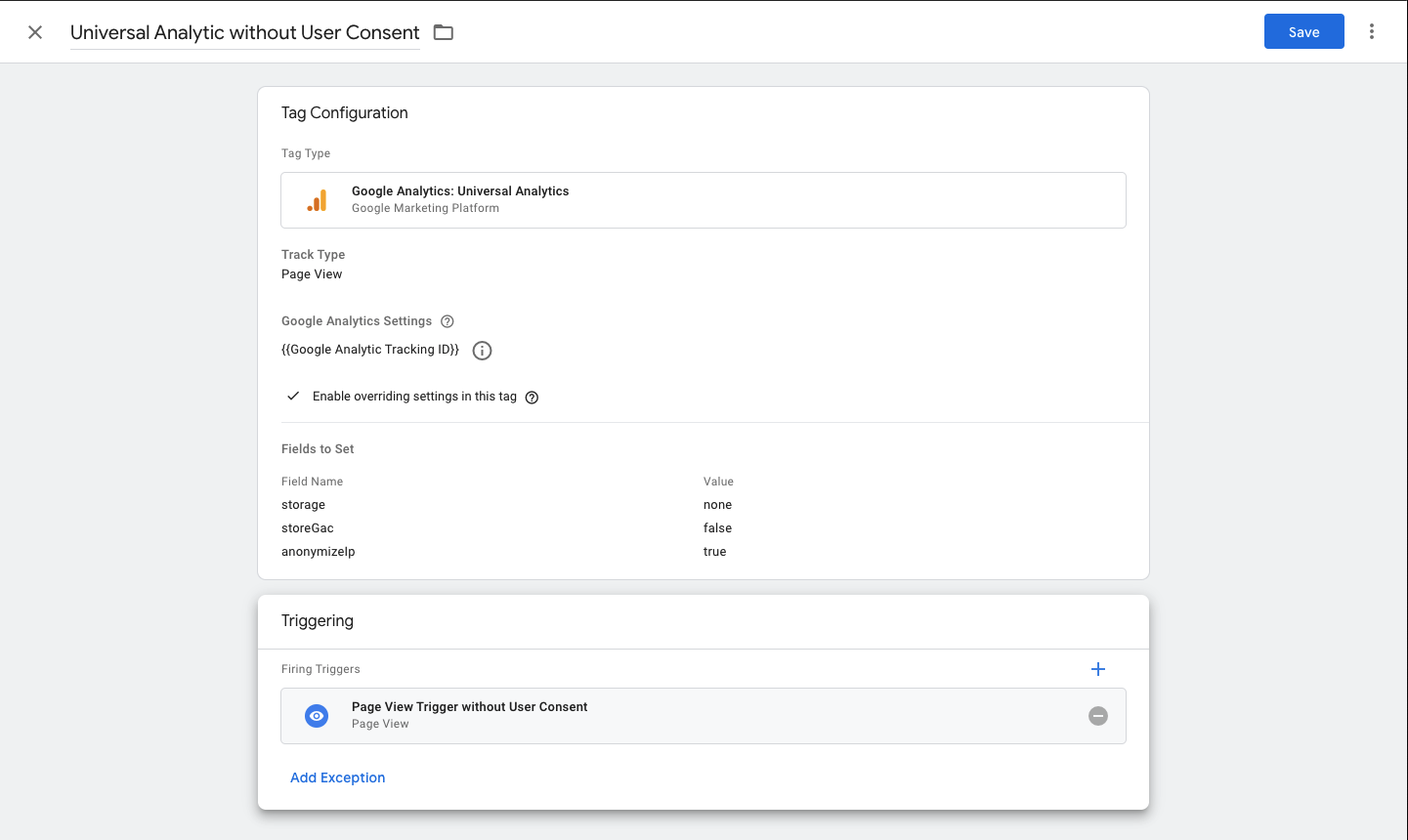
A. Tag for Users Without Consent (Anonymous Tracking)
Name it:
Universal Analytics without User ConsentTag Type: Google Analytics: Universal Analytics
Track Type: Page View
Google Analytics Settings: Use your Tracking ID
Enable "Override settings in this tag"
Under More Settings, add these fields:
storage: none
storeGac: false
anonymizeIp: true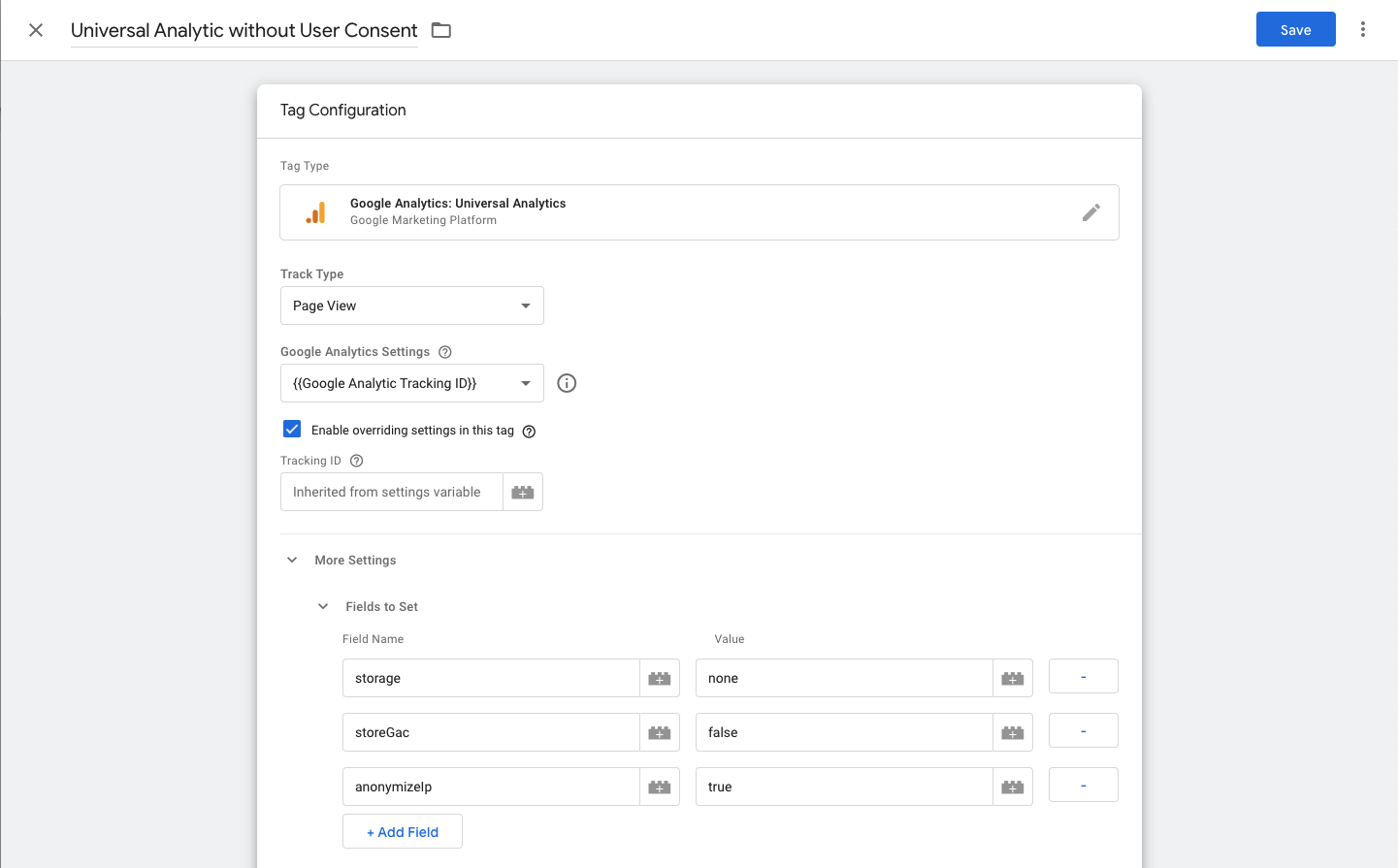
Set Trigger to:
Page View Trigger without User Consent
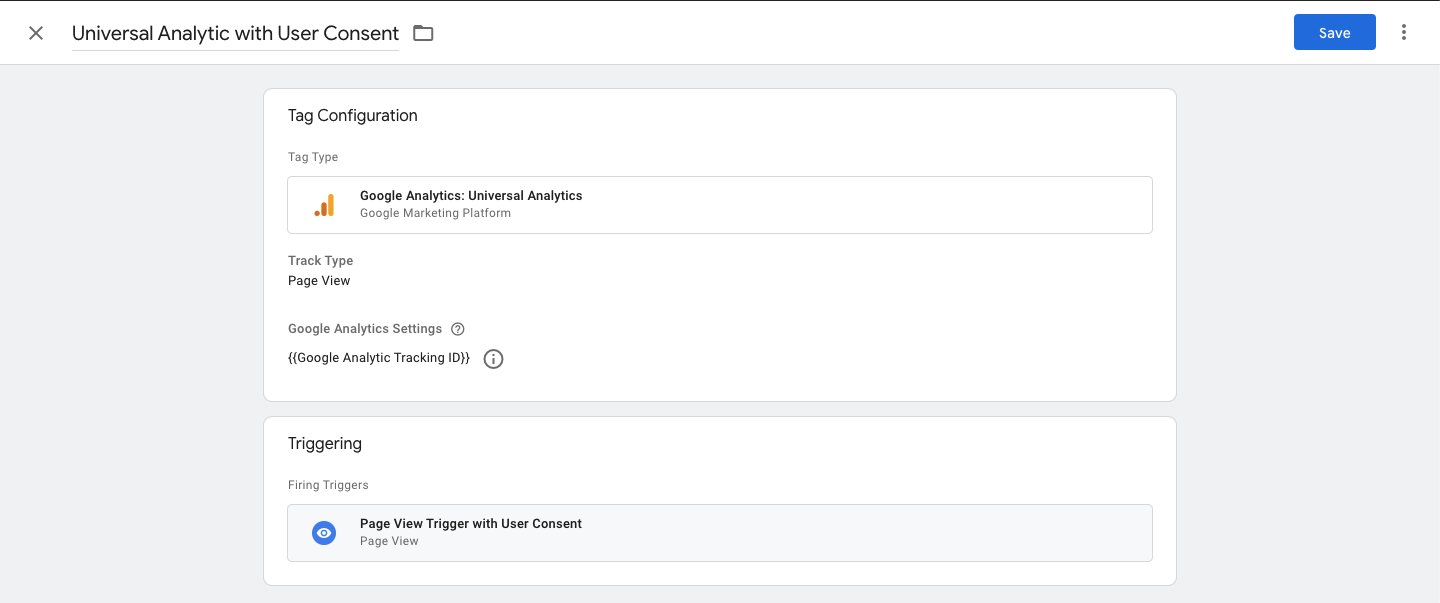
B. Tag for Users With Consent (Normal Tracking)
Name it:
Universal Analytics with User ConsentTag Type: Google Analytics: Universal Analytics
Track Type: Page View
Use your GA Tracking ID
Set Trigger to:
Page View Trigger with User Consent
Related articles
See allPreserving Conversion Rate with Google Consent Mode
Google Consent ModeGoogle Consent Mode is an API developed by Google to help improve the accuracy of marketing analysis and planning by u...
Cookie Category Slugs
Cookie Category SlugsCookie Wow assigns a slug to each cookie category. This slug acts as a unique identifier that can be used in code im...
How to Configure Google Analytics to Collect Anonymous User Statistics Before Consent (For Websites Using HTML Integration)
How to Configure Google Analytics to Collect Anonymous User Statistics Before Consent (For Websites Using HTML Integration)If your websit...
Need more help?
Get in touch and we'll help solve it