
How to Install Cookie Wow Banner on a WordPress Website
Go to cookiewow.com and create a Cookie Banner by first adding your WordPress website’s domain to Cookie Wow.
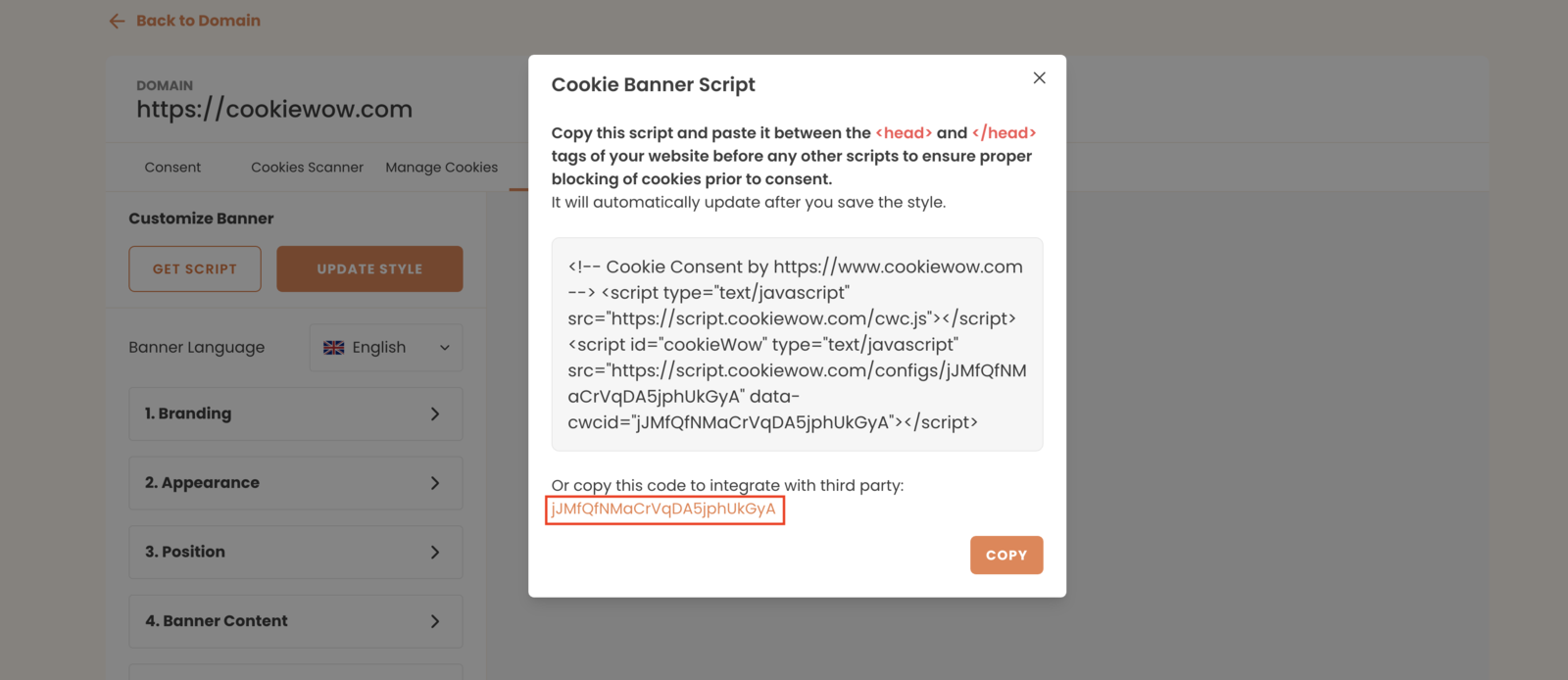
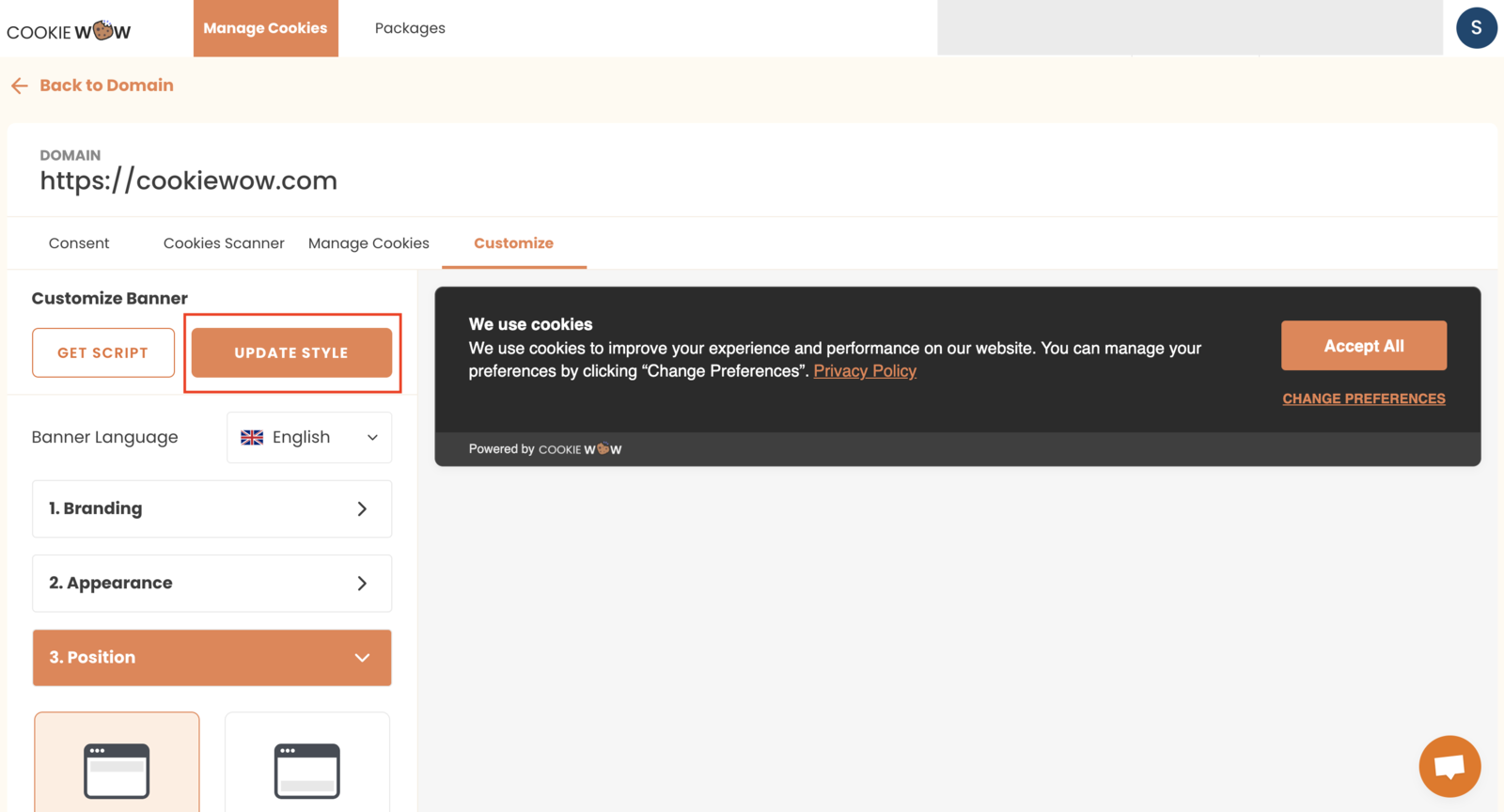
Once the domain is added, go to the script copy section and copy the ID for integrating with third-party platforms. You’ll find this ID under your Cookie Wow Dashboard > Customize > Get Script button — it’s in the red-highlighted box at the bottom of the popup.
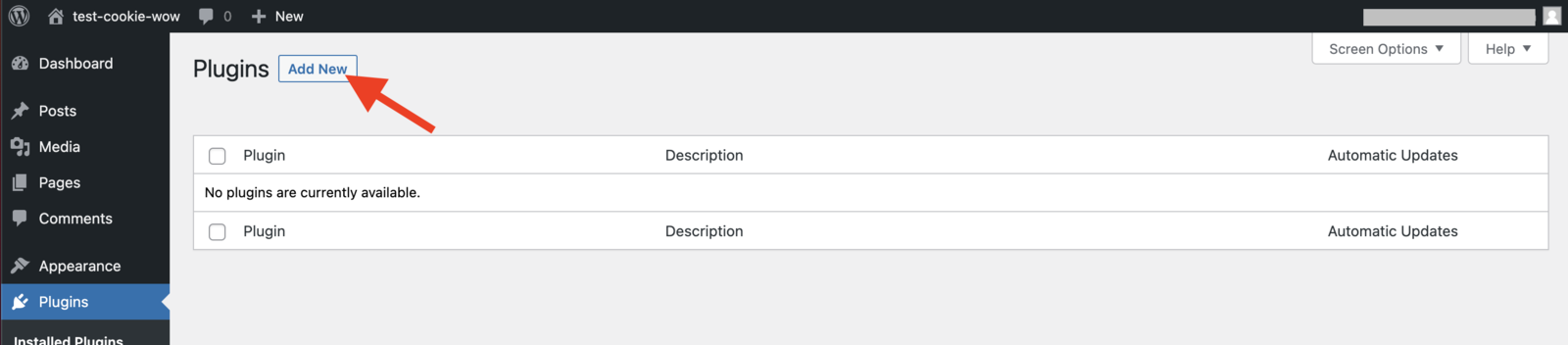
Open your WordPress dashboard and go to Plugins > Add New.
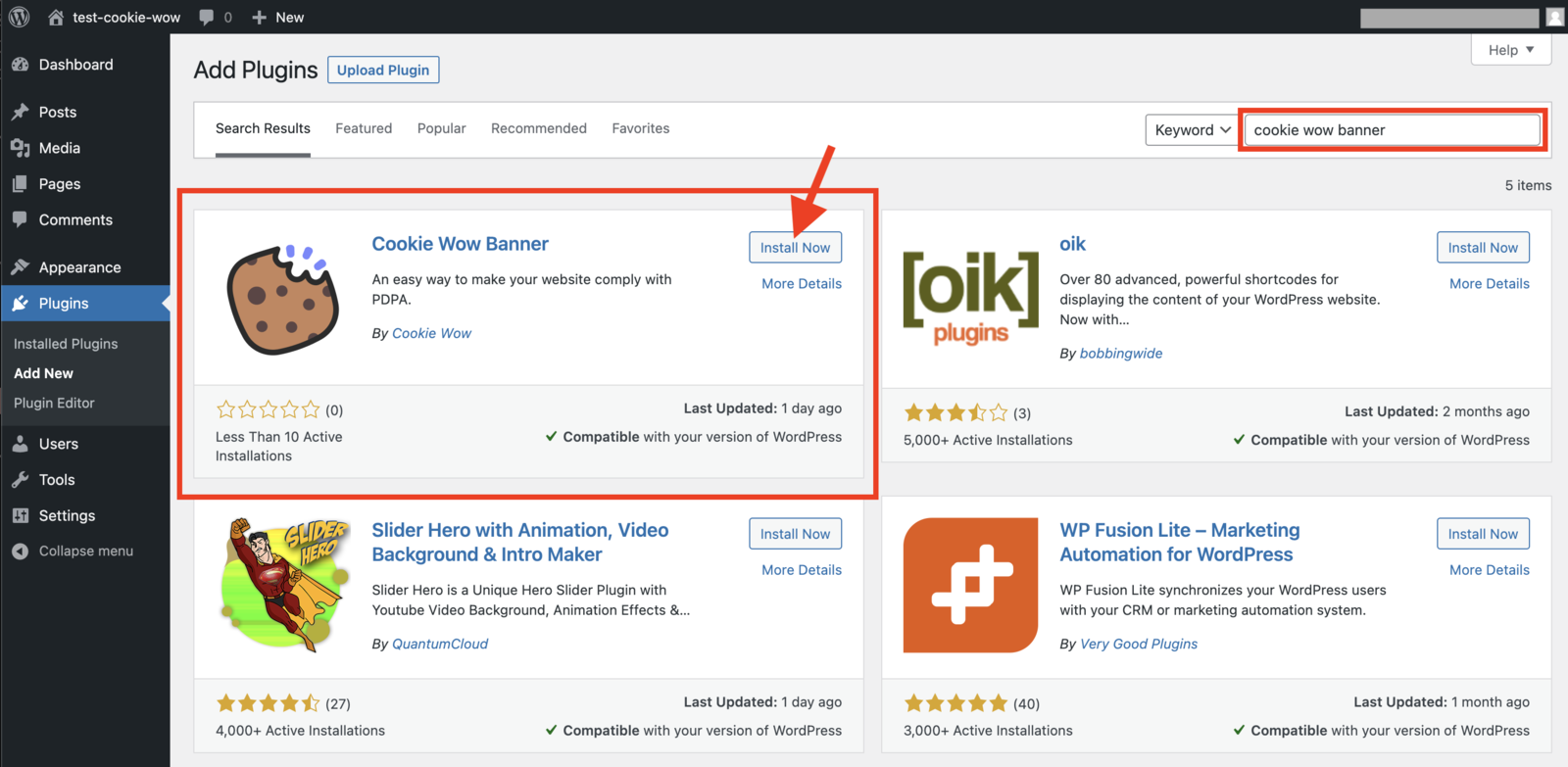
Search for "Cookie Wow Banner", then locate the official plugin and click Install Now.
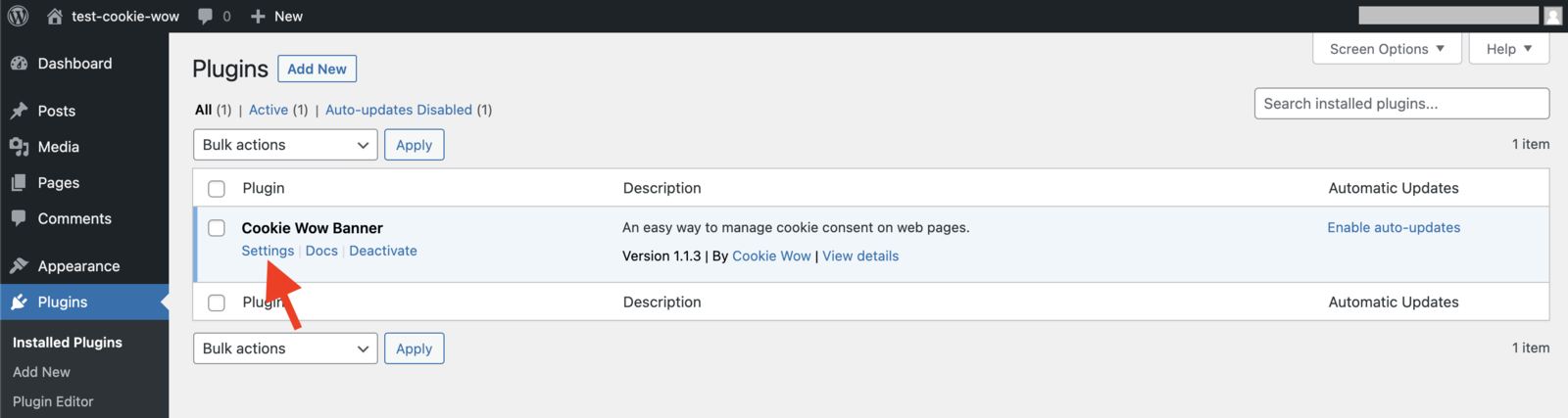
Click Activate after installation.

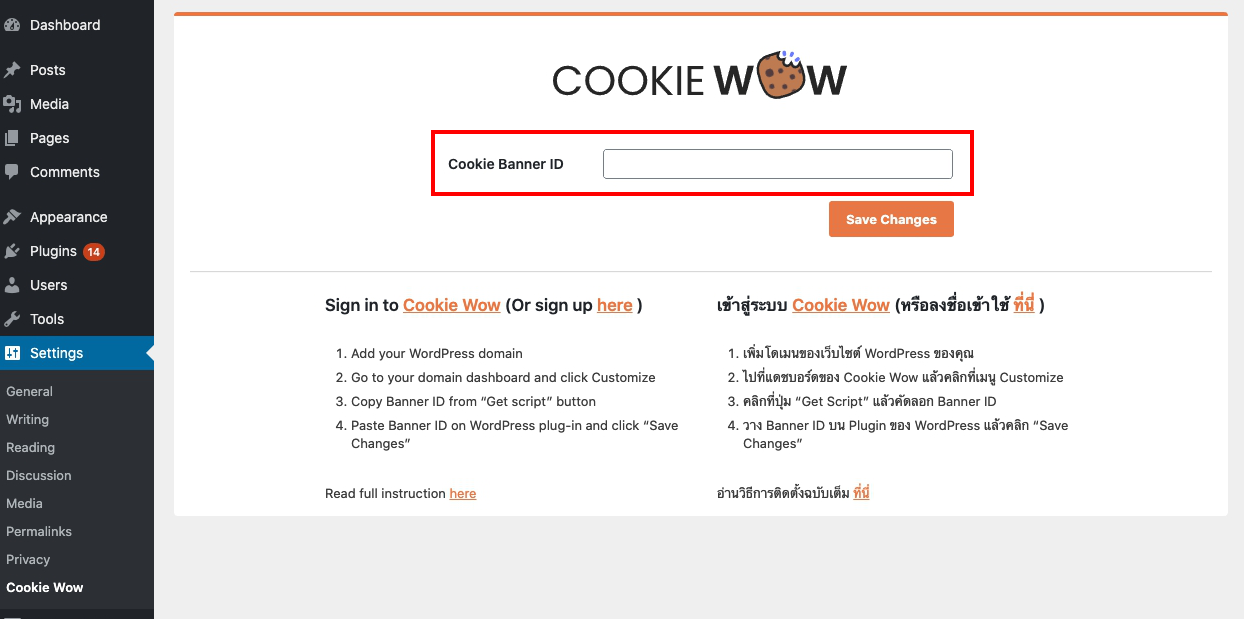
After activation, a new Cookie Wow Banner menu will appear — click on Settings.
Paste the Cookie Banner ID (from Step 2) into the Cookie Banner ID field, and click Save Changes to activate the banner.
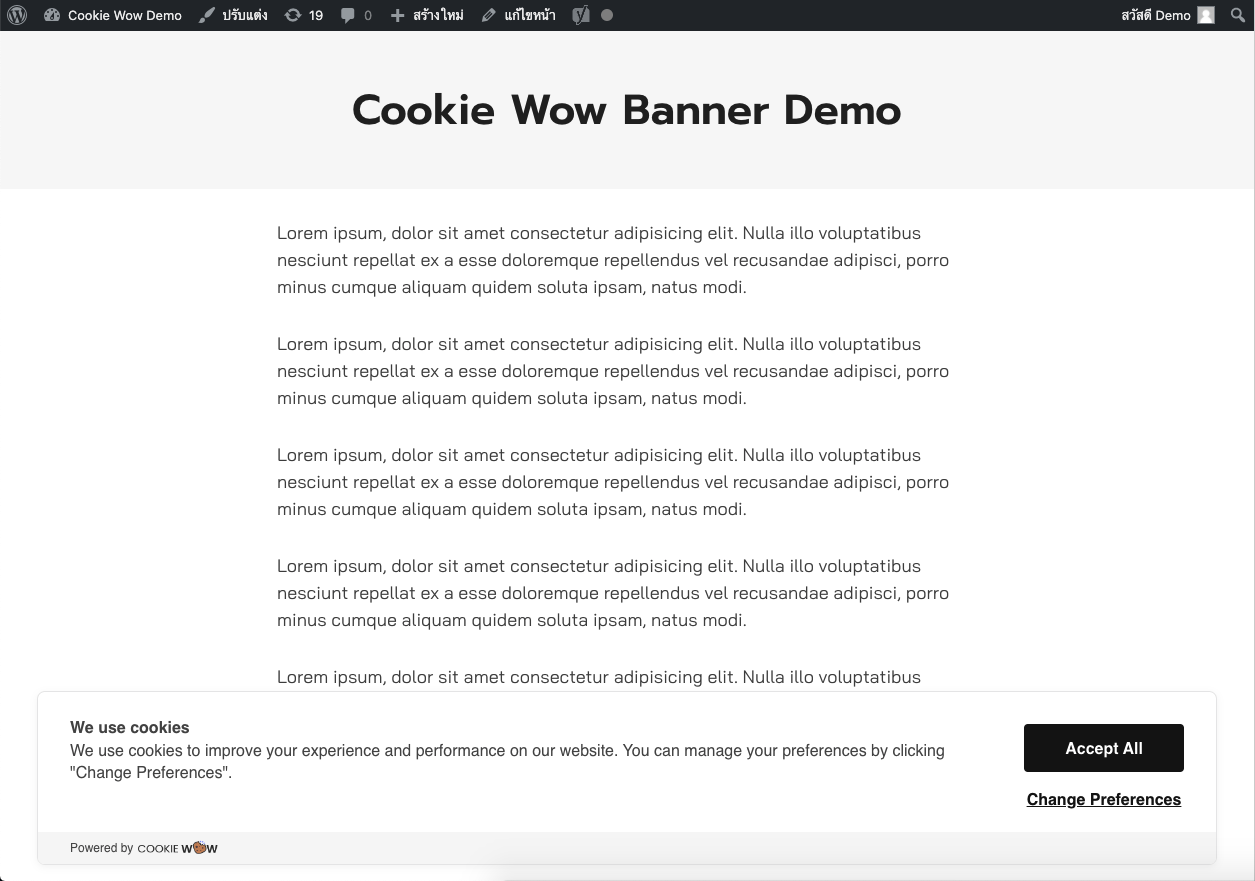
Refresh your WordPress website — your Cookie Banner should now appear on the site.
In your site’s source code, make sure the Cookie Wow script is placed above all other scripts and cookies.

If you want to customize the style of the Cookie Banner, go to your Cookie Wow Dashboard > Customize, make your adjustments, and click Update Style. The changes will be applied automatically.
Trouble: Cookie Banner Not Showing?
If you've followed all the steps but the banner still doesn’t appear, refer to this help article for troubleshooting:
Cookie Wow WordPress Plugin – Banner not showing?
Related articles
See allHow to add script to Shopify
1. Add Script to All Pages (Theme Code)Use this method if you're embedding JS across the whole store (e.g., Google Analytics, custom even...
Managing Cookies or Scripts Added via Google Tag Manager (GTM)
Managing Cookies or Scripts via Google Tag Manager (GTM)According to PDPA regulations, if your website uses third-party scripts that may ...
How to Install the Cookie Banner for Existing Users
How to Install the Cookie Banner for Existing UsersGo to the dashboard at https://app.cookiewow.com/projects and select the domain where ...
Need more help?
Get in touch and we'll help solve it