
How to set the language of the Cookie Banner
By default, Cookie Wow automatically detects the website's language, and the cookie banner will display in that language based on the <html lang="..."> tag.
For example: , , or → Cookie banner will appear in English
or → Cookie banner will appear in Thai
If you prefer to manually set the language of the Cookie Banner, follow these steps:
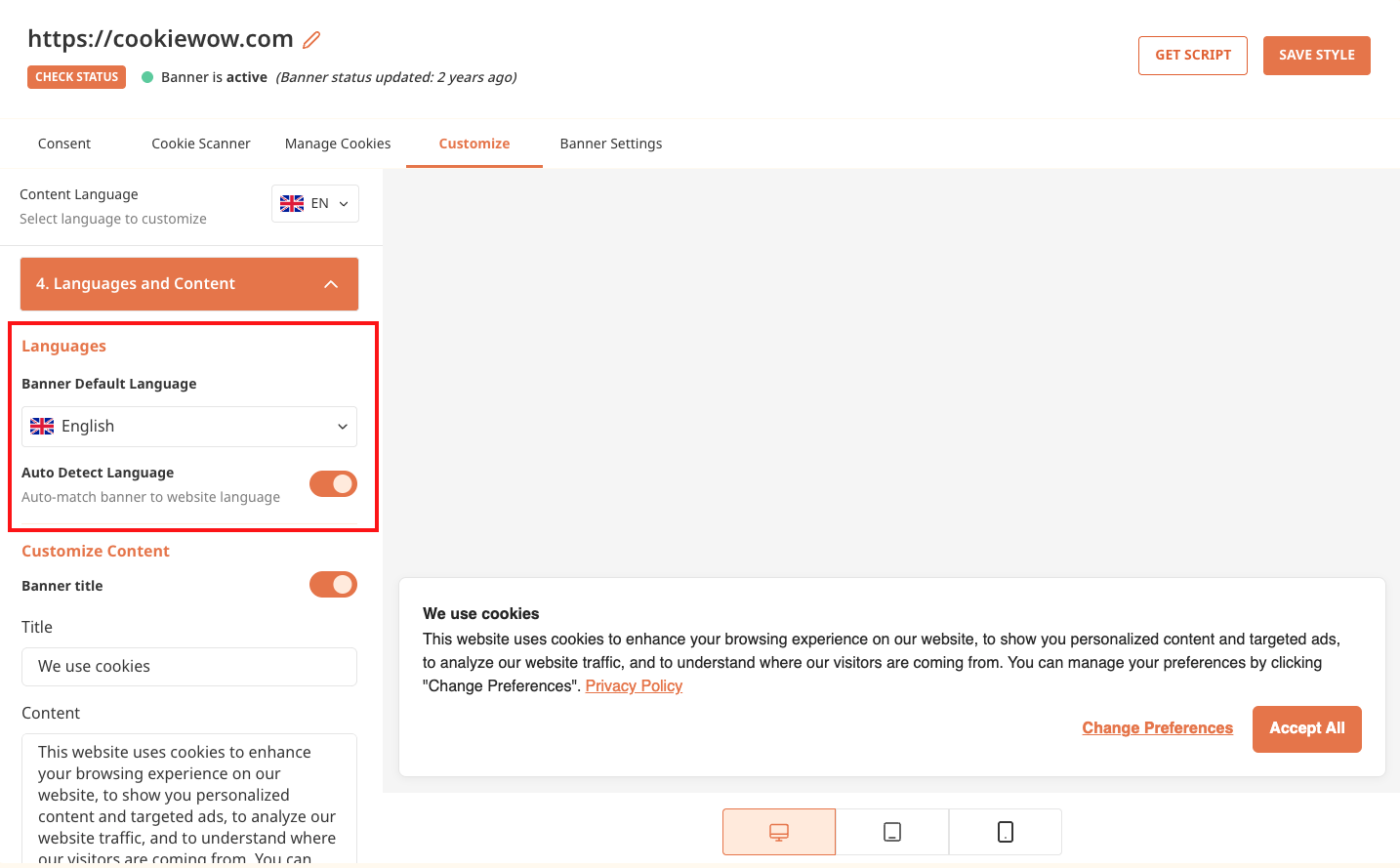
Go to the Customize Banner menu
Open submenu 4. Language & Text
Set your preferred language in the “Default Banner Language” option
Disable the Automatic Language Detection toggle
Click Update Style
Then click Publish Banner in the top-right corner of the dashboard
Related articles
See allHow to Customize Cookie Banner CSS
Users can customize the appearance of the Cookie Banner through the “Customize Banner” and “Customize CSS” menus within the Cookie Wow pl...
How to Customize Font Family
Currently, users can change the font-family of the Cookie Banner by having a developer add custom CSS to the website. For example:.cwc-co...
Publish Banner
Publish BannerYou can save all content and configuration changes made to your banner before making them live.To apply the changes and mak...
Need more help?
Get in touch and we'll help solve it