
How to Customize Cookie Banner CSS
Users can customize the appearance of the Cookie Banner through the “Customize Banner” and “Customize CSS” menus within the Cookie Wow platform.
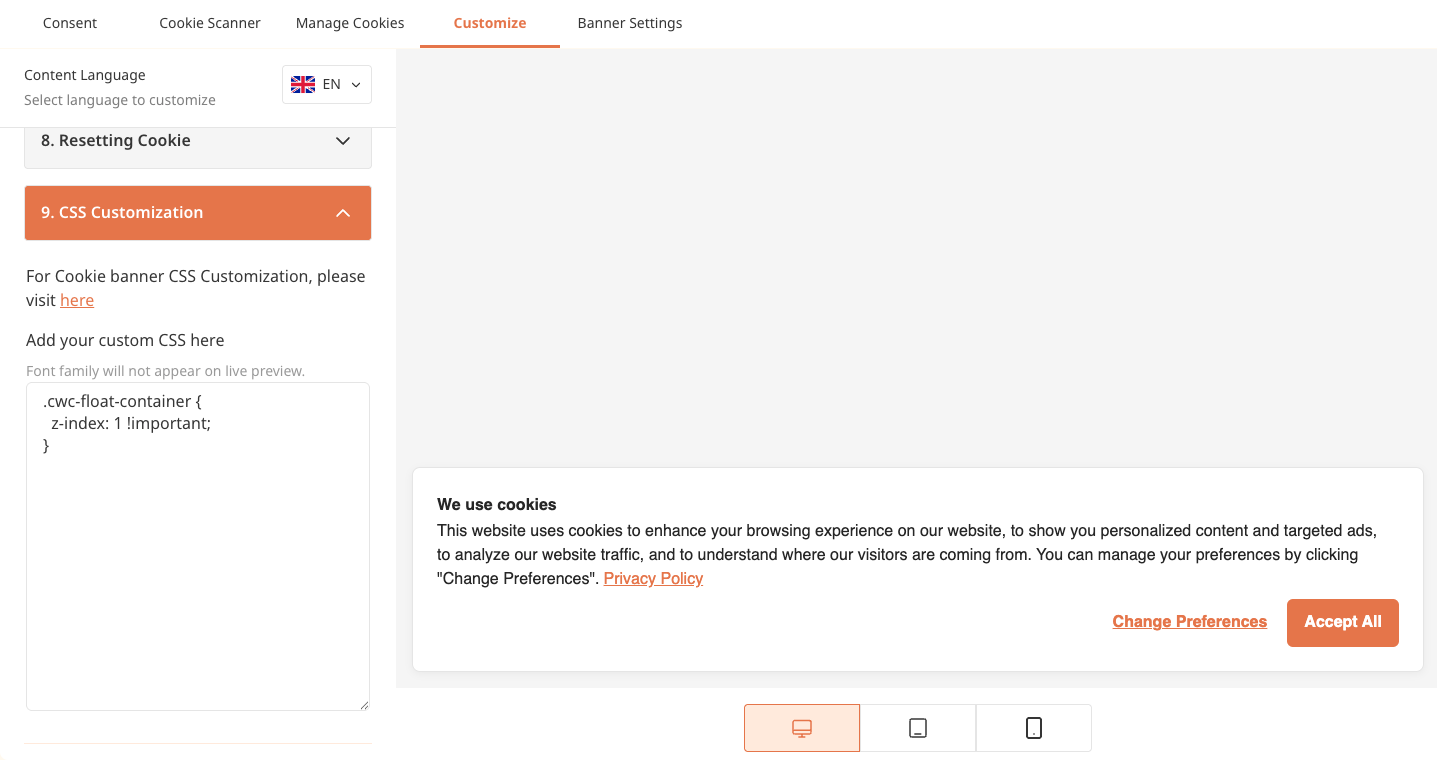
You can apply your own styles using the following predefined CSS classes provided by Cookie Wow:
cwc-float-container
cwc-consent-summary-container
cwc-banner-container
cwc-banner-content
cwc-banner-content-main
cwc-banner-title
cwc-banner-desc
cwc-banner-policy-link
cwc-banner-content-aside
cwc-accept-button-wrapper
cwc-accept-button
cwc-setting-button-wrapper
cwc-setting-button
Custom styles can be added directly to our input field using standard CSS syntax, just like you would when writing regular CSS.
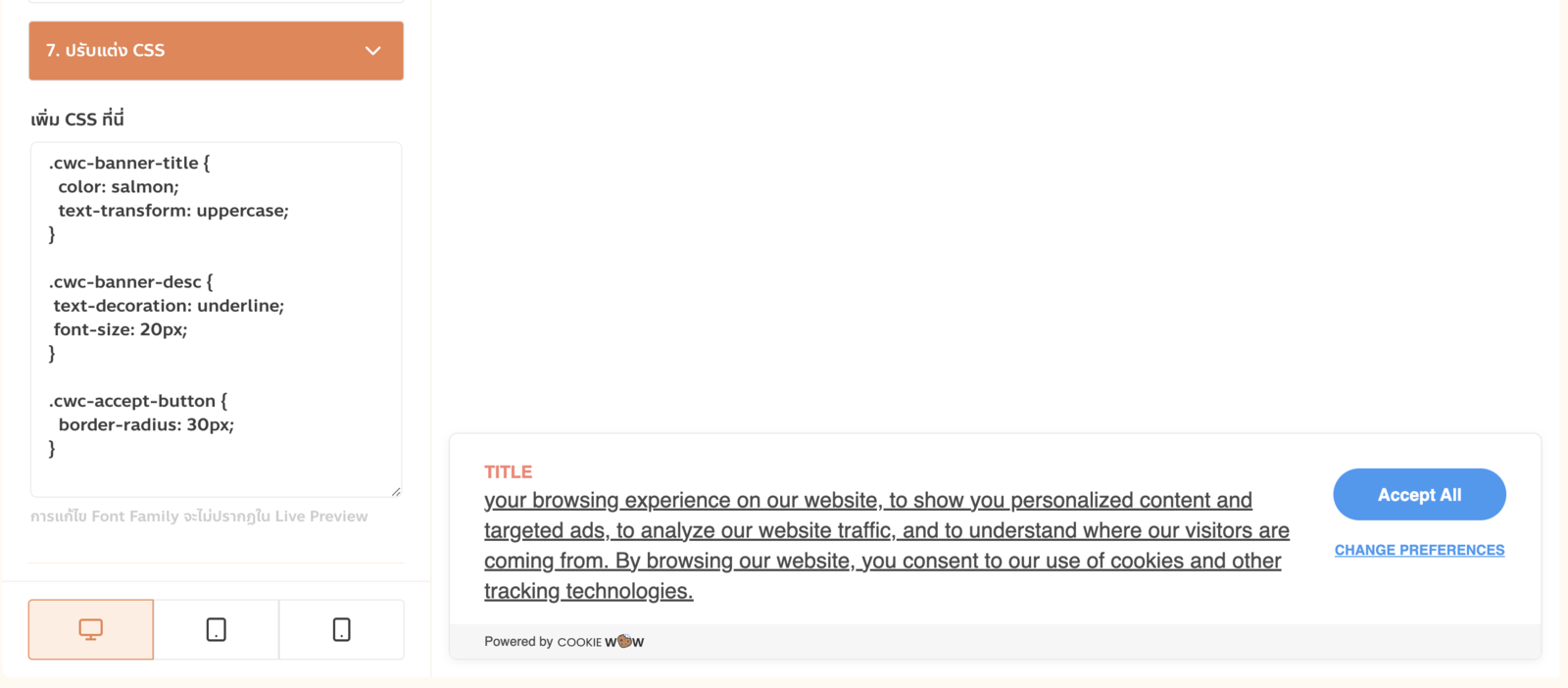
In some cases, if the default banner styles are not being overridden as expected, we recommend increasing the specificity of your selectors. For example:
.cwc-preference-header span,
.cwc-preference-header button, {
  font-family: "Noto Sans";
}
.cwc-save-setting-wrapper button {
  font-family: "Noto Sans";
}
Related articles
See allHow to Customize Font Family
Currently, users can change the font-family of the Cookie Banner by having a developer add custom CSS to the website. For example:.cwc-co...
How to set the language of the Cookie Banner
By default, Cookie Wow automatically detects the website's language, and the cookie banner will display in that language based on the <...
Publish Banner
Publish BannerYou can save all content and configuration changes made to your banner before making them live.To apply the changes and mak...
Need more help?
Get in touch and we'll help solve it