
Pageview
Pageview
What is a Pageview?
A Pageview refers to the number of times users access your website.
How is a Pageview counted?
A Pageview is recorded each time a user views your website under the following conditions:
When a user visits your website for the first time
When navigating between pages or URLs within the same domain (e.g., from https://example.com/th to https://example.com/en )
When the user refreshes the browser
Where can you view your website's Pageviews?
You can check your Pageview count directly on the Cookie Wow platform — either from the top navigation bar or by visiting the My Package page.
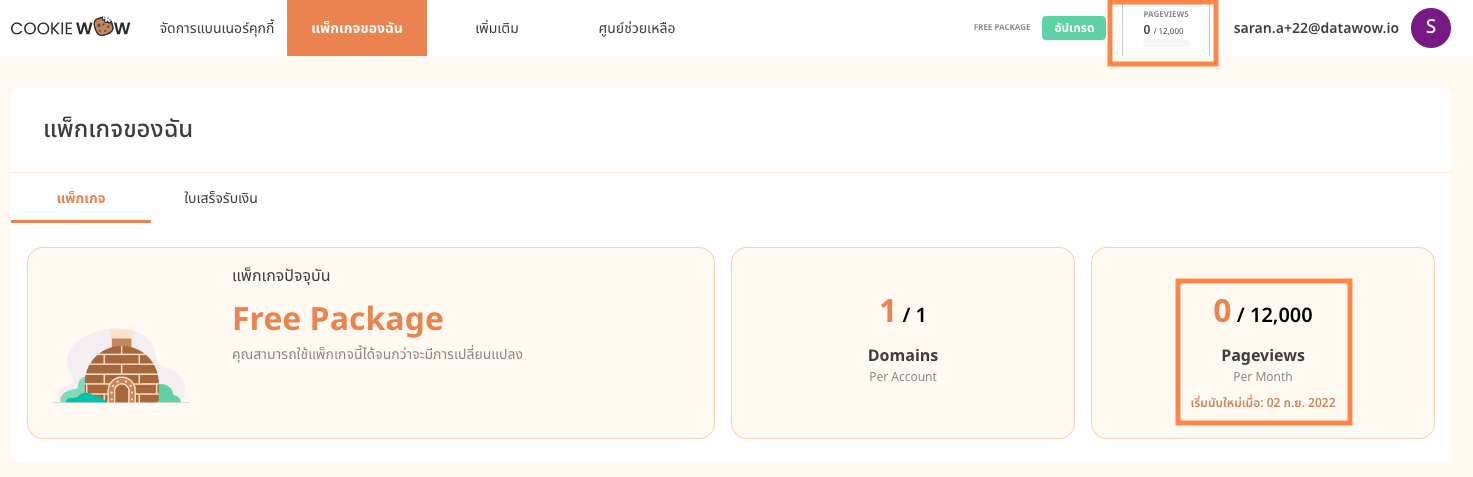
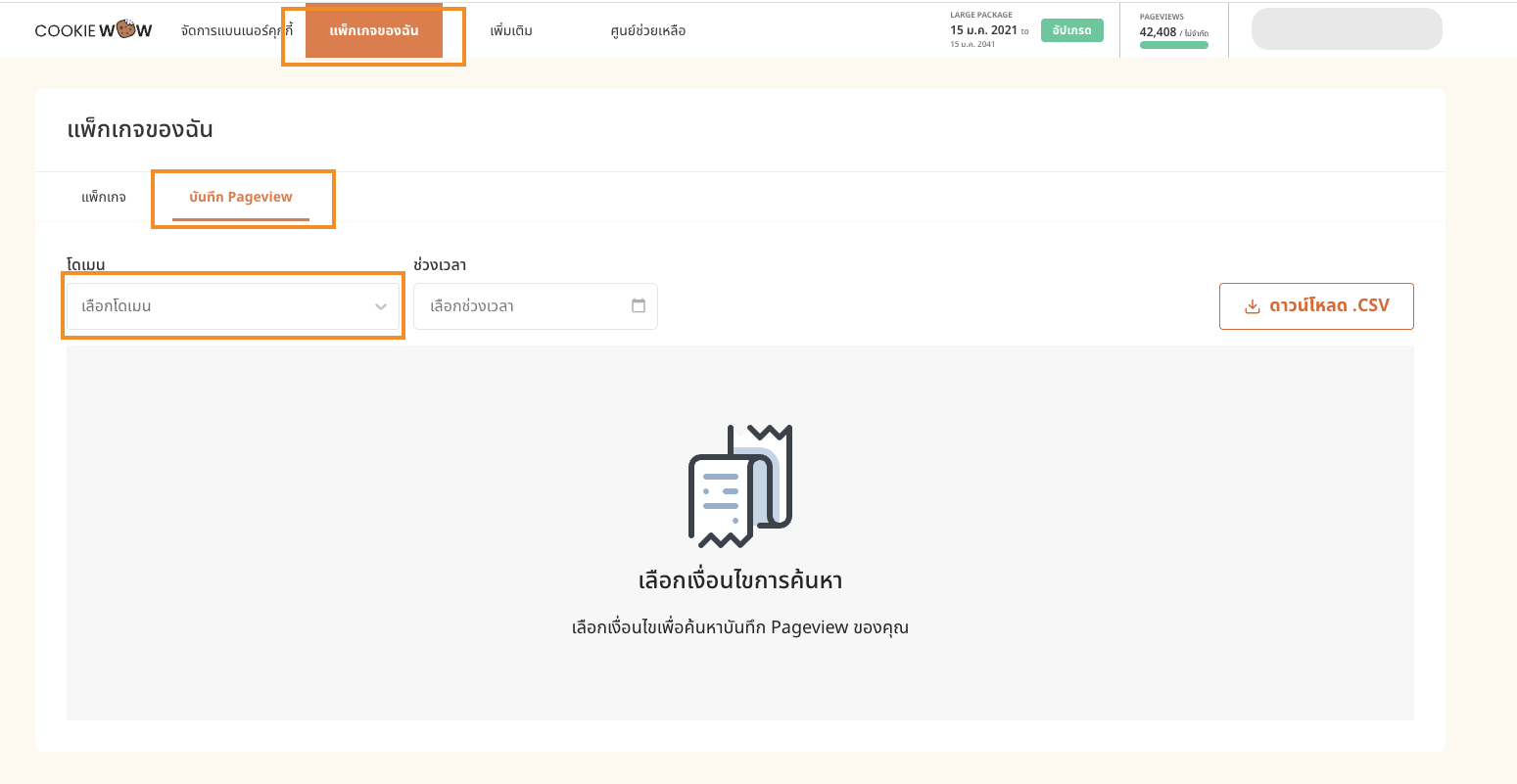
You can also check this by going to the “My Package” page, then clicking on “Pageview Logs.” From there, you can select the domain you’d like to view the pageview data for.
What happens if you exceed your Pageview limit?
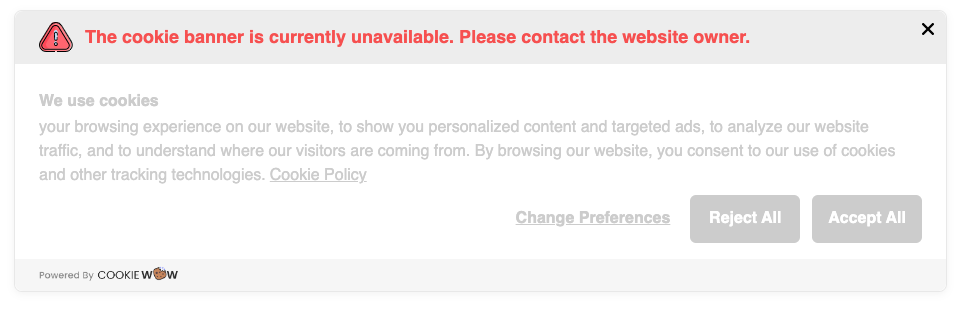
If your Pageview limit is exceeded, the cookie banner will display a notification as shown below. Pageviews will automatically reset at the start of your next billing cycle — counted monthly from the date of your package purchase.
Related articles
See allHow to add script to Shopify
1. Add Script to All Pages (Theme Code)Use this method if you're embedding JS across the whole store (e.g., Google Analytics, custom even...
Managing Cookies or Scripts Added via Google Tag Manager (GTM)
Managing Cookies or Scripts via Google Tag Manager (GTM)According to PDPA regulations, if your website uses third-party scripts that may ...
How to Install the Cookie Banner for Existing Users
How to Install the Cookie Banner for Existing UsersGo to the dashboard at https://app.cookiewow.com/projects and select the domain where ...
Need more help?
Get in touch and we'll help solve it