
How to set the language of the Cookie Banner
By default, Cookie Wow automatically detects the website's language, and the cookie banner will display in that language based on the <html lang="..."> tag.
For example: , , or → Cookie banner will appear in English
or → Cookie banner will appear in Thai
If you prefer to manually set the language of the Cookie Banner, follow these steps:
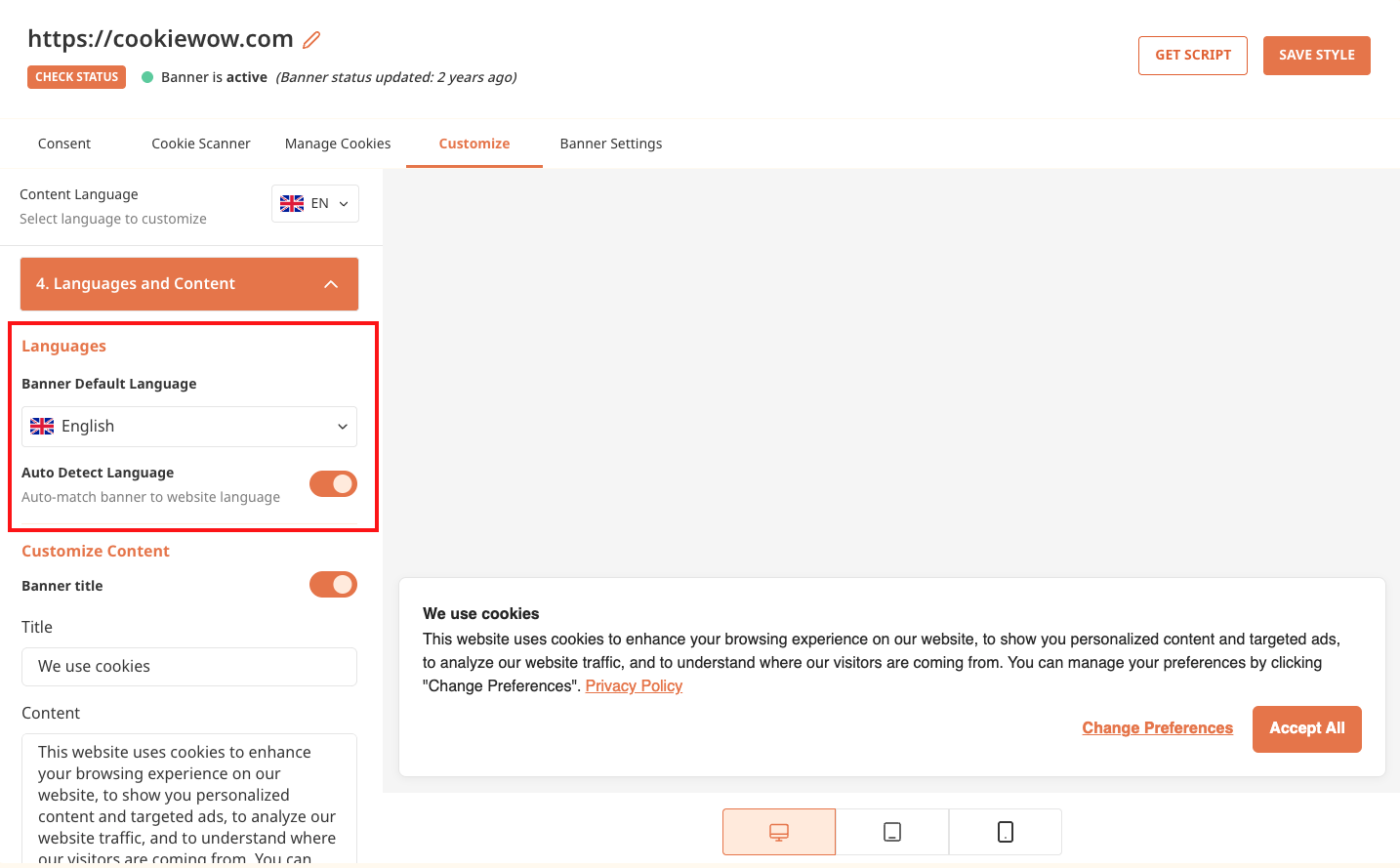
Go to the Customize Banner menu
Open submenu 4. Language & Text
Set your preferred language in the “Default Banner Language” option
Disable the Automatic Language Detection toggle
Click Update Style
Then click Publish Banner in the top-right corner of the dashboard
Related articles
See allWhy Consent Logging Matters
Why Consent Logging MattersRecording user consent serves as legal evidence that helps you — the data controller — demonstrate compliance ...
Steps for Categorizing Cookies
Steps for Categorizing CookiesWebsite Scan for CookiesAfter adding your website domain, Cookie Wow will automatically scan your website. ...
New User Permission: “Billing Manager” for Enhanced Financial Management
New User Permission: “Billing Manager” for Enhanced Financial ManagementTo provide greater flexibility and security in managing your orga...
Need more help?
Get in touch and we'll help solve it